Your paddock, on the big screen.
SNQ Hub Display puts the running session, the countdown, calls and announcements on any TV — live from the operator's phone. No laptop, no browser tab, no account.


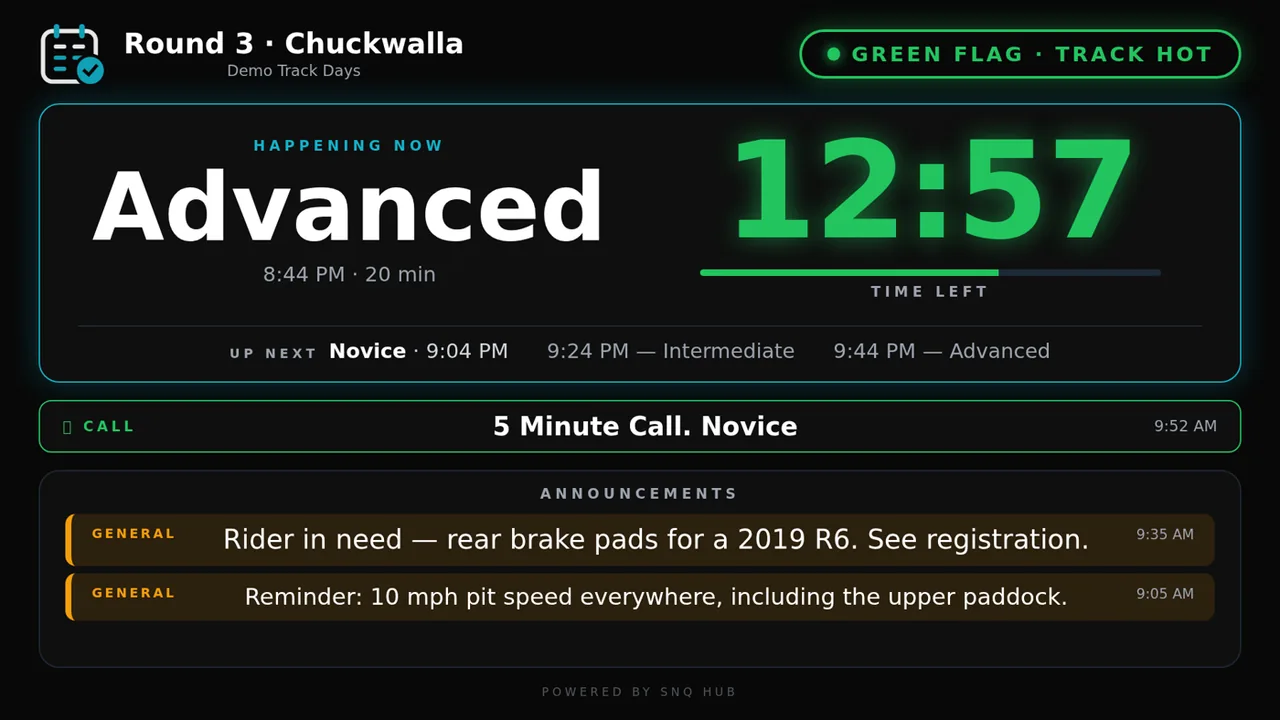
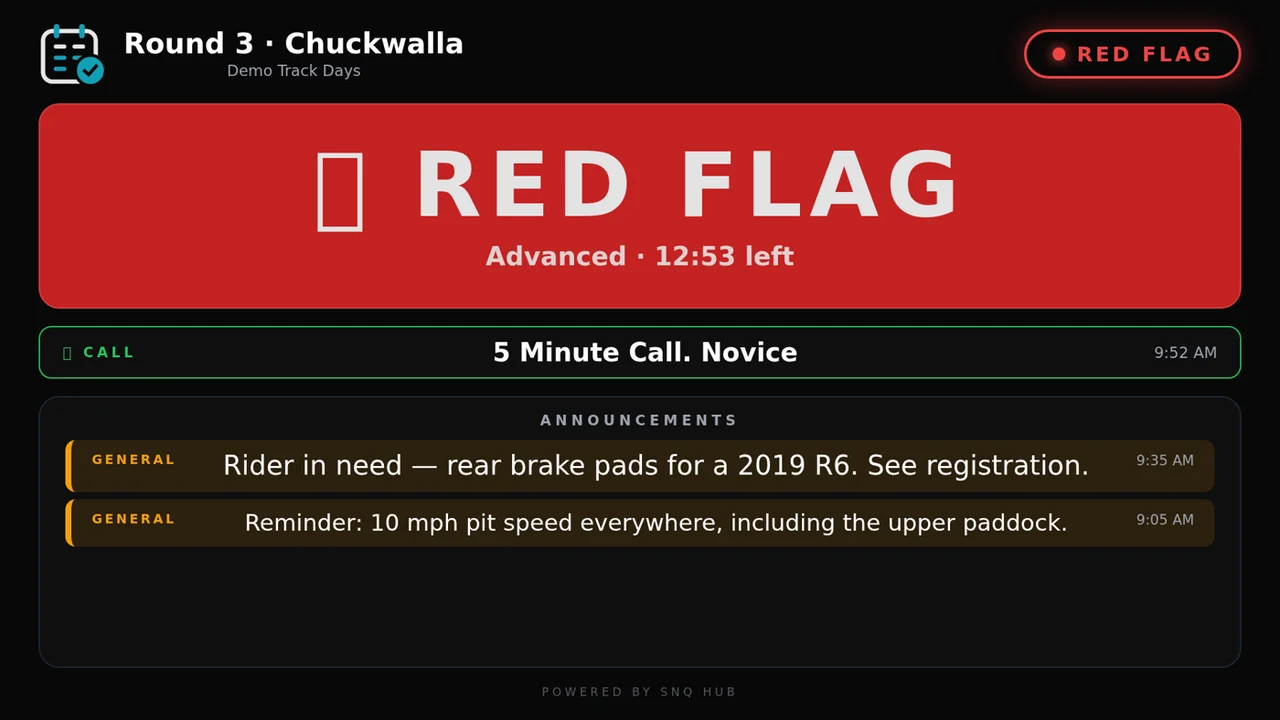
What's on screen
The same live data your attendees see on their phones, sized for the other side of the paddock.
Same clock as every phone
Session, group or level, and time left — to the second. Updated within two seconds of the operator.
Calls, out loud
Every call and announcement shows on screen and is spoken through the TV. Plug it into the PA and it is the PA.
Set it and leave it
Pick your organization once. It follows whatever event is live, shows your logo between events, and nothing can be changed from the TV.
Set up in two minutes
No login on the TV. Anyone at the venue can plug it in.
Install it on the TV
Search “SNQ Hub Display” in your TV's app store, or use a link below.
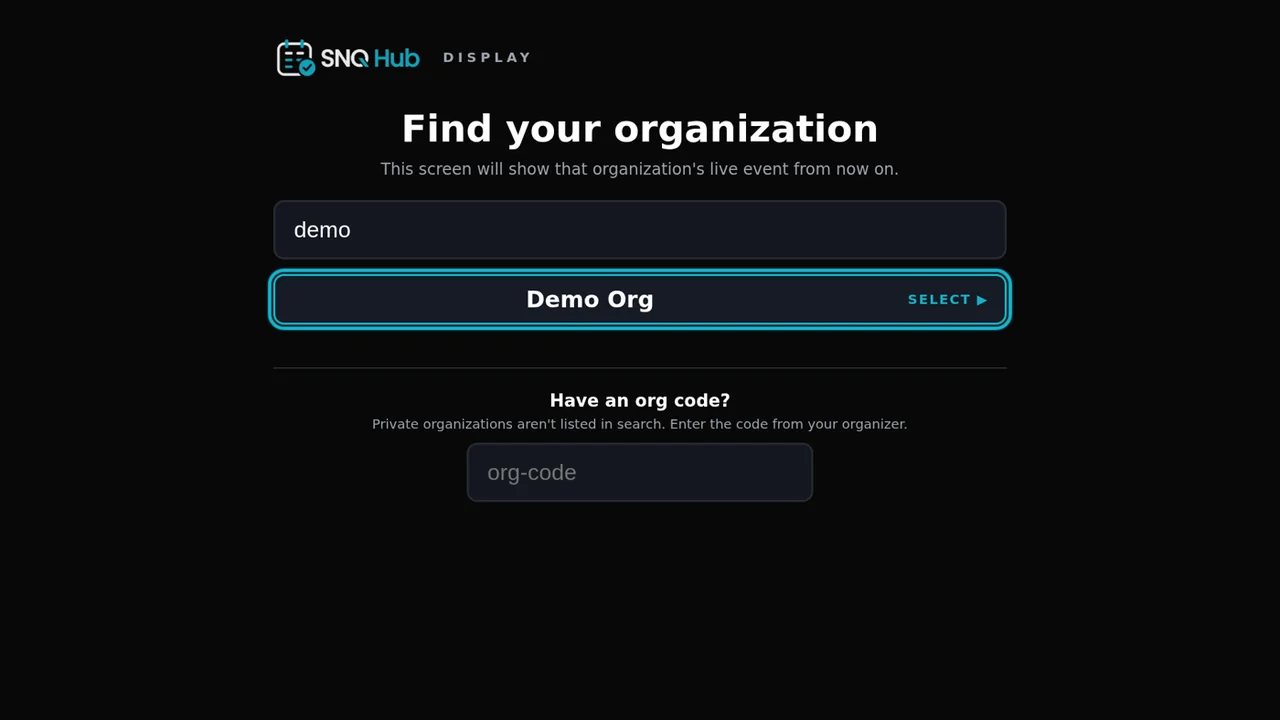
Pick your organization
Search by name, or enter the org code from your organizer. Once.
Leave it on
It remembers your organization and follows whatever event is live, all season.
Works on the TVs you already own
Same app, same screen, on all four.
Fire TV
Search “SNQ Hub Display” in the Amazon Appstore on your Fire TV or Fire TV Stick.
Amazon Appstore →Google TV
Chromecast with Google TV, and Android TV sets from Sony, TCL, Hisense and others.
Google Play →app.snqhub.com/tv/your-org
No smart TV? Any browser works: open your organization's TV link on a laptop or streaming stick, or cast it to the screen. Your organizer can copy the link from Studio.